What is a server? Let’s learn about servers, which are the foundation of everything.

8 MIN READ
Everyone, are you familiar with the word 'server'? Many of you may have heard of it, but don't actually know what it is or how to use it.
Servers are mainly necessary when publishing a website. They also allow you to easily share data with others, obtain original email addresses, and do various other things. For now, a basic understanding of 'Oh, I see' is sufficient without thinking too deeply.
In any case, if you want to create a website to generate some income, or if you want to do something with IT in the future, it is an essential and important thing that you will definitely need.
So, what exactly is a server?
A server is basically like a 'warehouse'. For example, what do you do when your house is overflowing with belongings? There's no place to put them, but you can't get rid of them either.
In such cases, you can rent a 'container room' or 'warehouse' for a low price and store the belongings that overflow from your home. You transport your belongings by car to a distant container room or warehouse, where you store them and take them out as needed.
In fact, a server is similar. Imagine a company that rents out 'data storage' like containers or warehouses. That company has many 'data storage' spaces and rents them out to people on a monthly basis.
And the true nature of 'data storage', or 'servers', is a large computer.
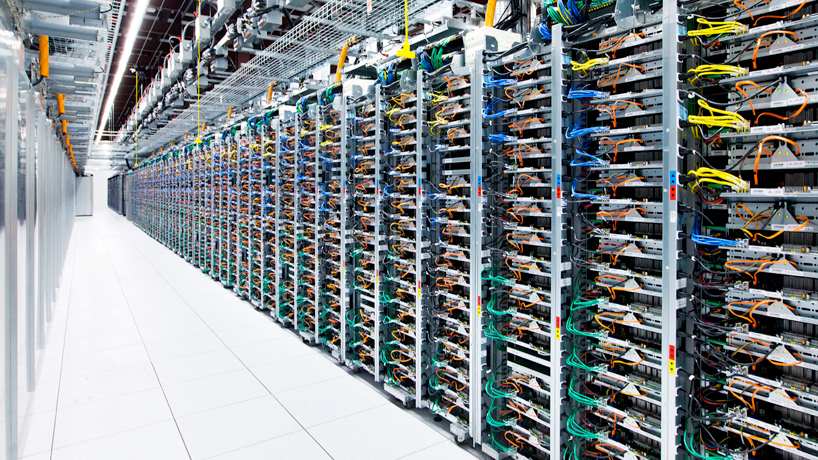
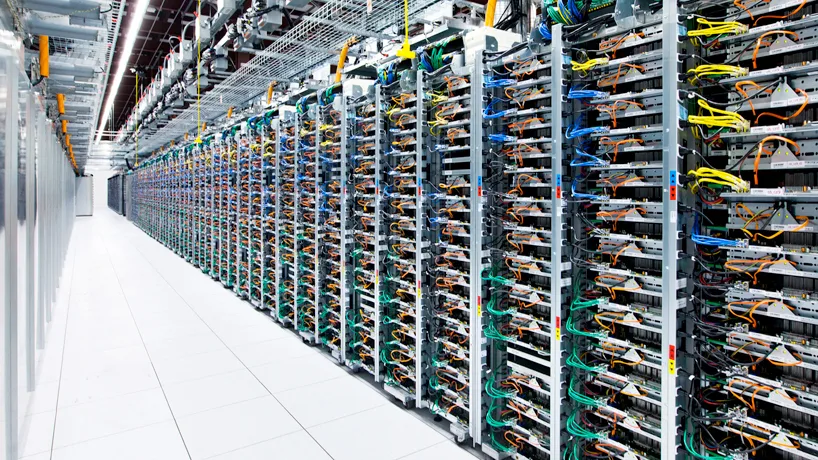
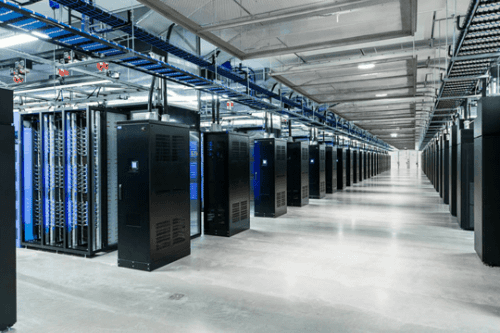
It looks like this. This is a Google server. You could call it a data version of a warehouse or container. A large number of computers, which are 'data storage' spaces, are lined up, and you can connect to a part of these computers via the internet to store data. The appearance is also similar to a warehouse, isn't it?
Server companies rent out a portion of the area on such computers. By the way, prices range from a few hundred yen to tens of thousands of yen per month, depending on performance.


A server is a warehouse, and also the land for publishing a website.
What can you do when you rent a server? As I mentioned earlier, you can store data. However, storage is not the only thing you can do. By storing data on a server, you can 'publish a website'.
First, as a premise, a website is made of 'website data', just like photos and text. Everyone takes photos, writes text, and saves them, right? You each have a lot of data on your smartphones and computers, and you store it there.
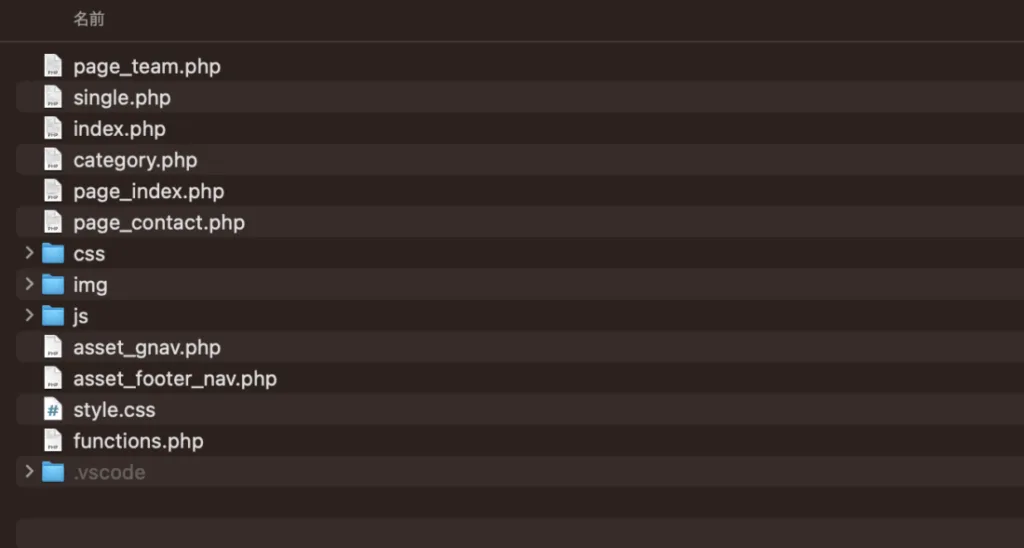
Basically, a website is almost no different from the data you usually handle; just like photos and music, a website is completed by creating data for the website.
However, even if you only keep website files on your own computer, no one will see them. If you keep photos or music on your smartphone, no one will just see them without your permission, right? They are merely data on your own computer or smartphone.
By storing it on a server, it will finally be recognized by Google and Yahoo!, and anyone will be able to find it when they search (in reality, there are several steps involved, not just storage). Although we refer to a server as a data warehouse, it actually also plays a role like the land on which to build a house.
Earlier, I called a server a warehouse, but if a house is a website, then a server can also be called land. Just as you cannot build a house without land, you cannot unveil a website to the world without renting a server.
In fact, not only websites, but also apps and other web services are all stored on servers. That's why everyone can share and use them.
How do I deliver data to a server?
Just as you need to deliver goods to a warehouse or container by car, there is a way to deliver data to a server.
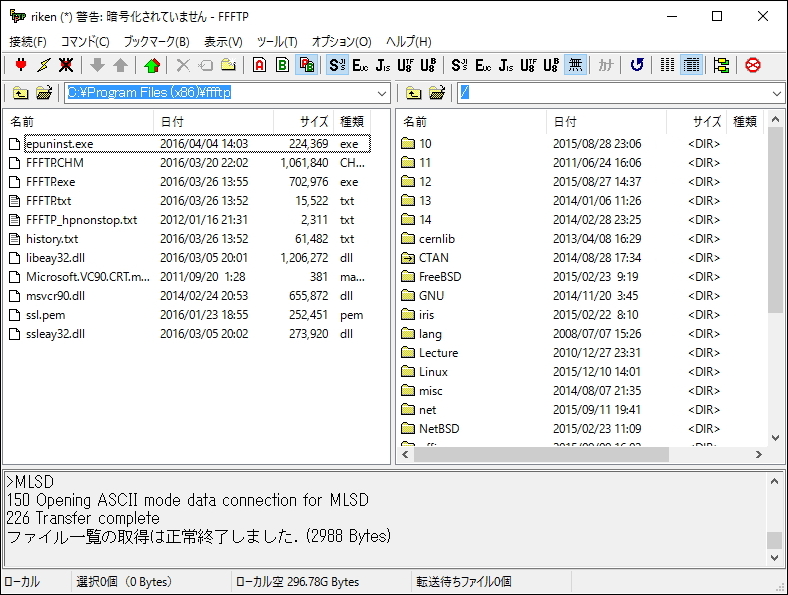
First, to deliver data to a server, you download a tool called FTP software. For Mac, there is a tool called Cyberduck, and for Windows, there is a tool called FFFTP.
Below is FFFTP.
And below is Cyberduck.
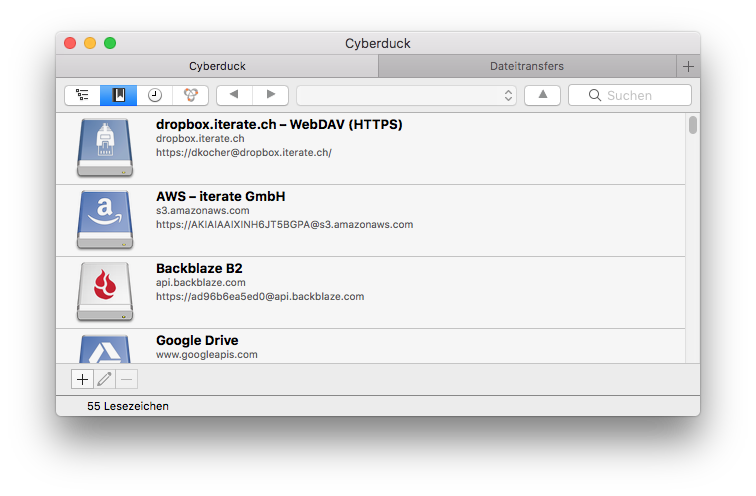
Both are tools that have been used for a long time. However, new tools are constantly emerging. For now, I will mention these two tools as veterans.
FTP software connects your server and your computer via the internet. Just like moving data within your computer, if you drag and drop data into the FTP software, the data will be saved on the server you are renting.
However, before putting data in, you must first open the server's door using a "key." You need a key to enter a warehouse or container, right? Only after opening the door with a key can you deposit or retrieve items. In the case of FTP software, there are three things that represent the key.
- Server address
- Username (Account name)
- Password
These are the three. These three keys together are sometimes called FTP information.
By having the FTP information (key) recorded in the FTP software from the beginning, you can always access the server from your computer via the software. Then, with the FTP software and FTP information, you can unlock the server and deposit or retrieve data.
By the way, this FTP information should be provided when you rent a server, or it should be listed in the server's control panel (admin screen), so please check.
When you rent a server, you can use an original email address.
Everyone, what email address do you use? For example, our email address is info@quon.ink, but if you use free email services like Gmail or Yahoo Mail, you'll always have "@gmail.com" or "@yahoo.co.jp" attached, right? By renting a server, you can obtain an email address where you can freely change "after the @" part, like "@quon.ink".
In fact, if you're creating your own business or running an enterprise, having an email address with your trade name or service name, rather than a universally obtainable "@gmail.com" or "@yahoo.co.jp", increases credibility, doesn't it?
However, this requires contracting for another "domain" in addition to the server. In familiar terms, it's the URL of your website. An email address is basically @domain. A domain is essential when publishing a website and when using an email address. That said, this time we are talking about servers, so I will discuss domains another time.
So, why can you use an original email address when you rent a server? It's because email data is initially stored on a server. When you send an email, it first reaches the server that issues the recipient's email address, and from there, your smartphone or computer downloads and retrieves it.
Therefore, even if you delete the data from your smartphone or computer, if the email remains on the server, you can retrieve it again. Depending on the settings, you can also delete the email data from the server the moment it is downloaded.
Summary
Actually, there's much more to talk about, but this basic knowledge should suffice for now. In short, without a server, your website won't be visible to anyone, and your email address will remain a free email forever.
If you plan to work long-term using your website, I recommend renting your own server.
By the way, as I mentioned earlier, the server price is a few hundred yen per month per account. There are also servers that cost tens of thousands of yen per month, but you don't need to rent an expensive server in the early stages. As introduced at the beginning, the recommended servers are the following three.
When creating games, apps, or large-scale services, special and expensive servers like AWS will be necessary, but if you're just launching a website or blog and starting a business, a few hundred yen is sufficient. By renting a server, you will finally be able to freely customize and publish your blog or website, so please try renting one.
WRITTEN BY
上山 翔太
2007年からWEBデザイナー / エンジニアとして活動を開始。2015年には、セブ島にて立ち上げた日本人対象のクリエイター育成スクールと運営していたメディアを売却。その後、アメリカで事業デザインを無理やり学ぶ。帰国後は起業家育成プログラムを立ち上げ、新規事業開発、起業家育成に従事するほか、マーケティング戦略策定、ウェブ開発技術を提供。「IT留学シェアハウス」や「起業教育・支援プラットフォーム」を開発、運営。その後、株式会社QUONを立ち上げ。WEB制作事業を軸として、クリエイターと起業家を産む村づくりプロジェクトなどをバリ島と日本を中心に推進。


