
How do you create a website? What is the specific process for creating one?

13 MIN READ
Even while saying that a website is important, many people probably don't actually know how websites are made. Or rather, it's a fact that you can't know unless you study it professionally.
While there are many articles on the internet that provide technical explanations of HTML, CSS, etc., there aren't that many that explain the overall picture or flow. There must be many people who think, 'I just want to understand the flow.' It's important to know the basics for anything you do.
This time, I will explain the process of creating a website from start to finish, so for those who will be working on websites in the future, those who will create websites for their own company, or those who are simply interested, please use this as a reference.
Please note that while the method described here is a general theory, the details are our specific approach. Please be aware that there may be slight differences depending on the individual or company.
First, conduct a hearing (interview) and formulate a plan.
The method may differ slightly depending on whether you are dealing with a client or an in-house service, but basically, you start with a hearing (interview) and planning. This is true for anything, not just websites. First, gather opinions and formulate a plan.
There are many things to decide, such as what the purpose will be, what the design will be like, what colors to use, and what kind of content to create, but we will decide them as finely as possible from the beginning. Gradually gather opinions while looking at or presenting other sites.
Also, decide on reference sites that are close to the desired final image. This will make it easier for designers to understand the direction when creating the design. If you can find about 2 to 3 reference sites, the discussion will proceed quickly. If you plan to include animations, please also find reference sites for animations.
Regarding functionality, let's bring up as many topics as possible, such as whether it should be updatable, how the email form will work, and how it will integrate with social networks. There might be changes later, but by discussing them now, you can avoid oversights later.
Even if there are minor changes along the way, it will be a much greater hassle during development if opinions like 'I want to add this feature later' arise. Thoroughly bring up all content that is deemed necessary.
Compile into a proposal and present the schedule.
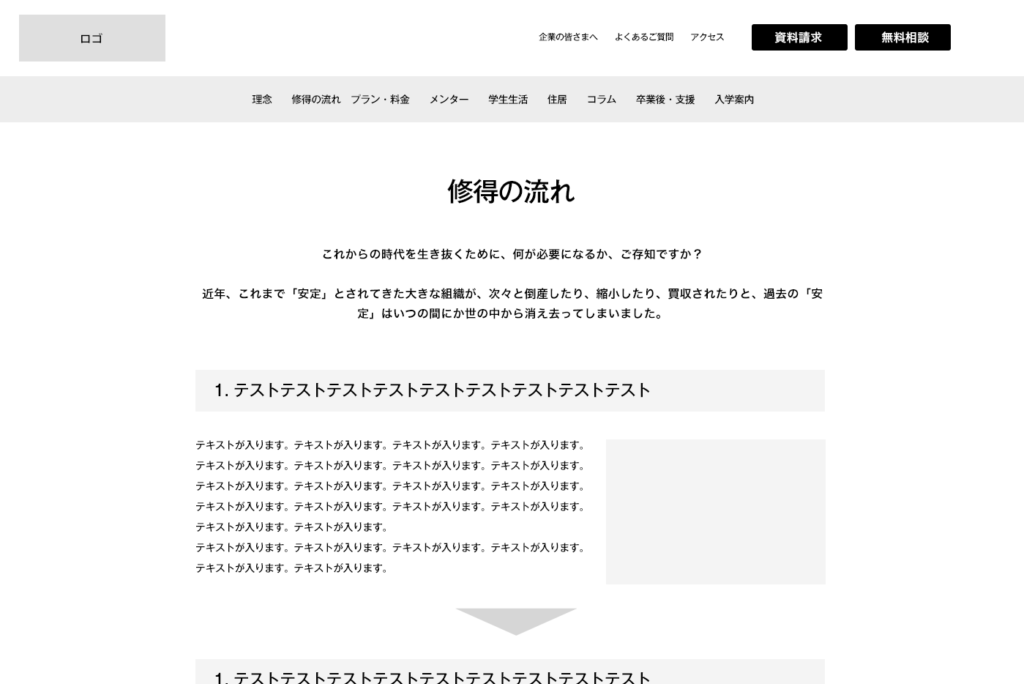
Once the hearing (interview) and project brainstorming are complete, next, we will put the discussed content into documents. A 'sitemap' illustrating how many pages will be created, and a 'schedule'. Also, roughly create a 'wireframe' that only outlines the website layout, just for the top page. Below is the wireframe.
Of course, we will also record what was discussed during brainstorming, such as color schemes, direction, design, and reference sites. For client work, it is important to compile everything into documents and leave a record to avoid 'he said, she said' disputes. Even for in-house projects, organizing information and thinking it through in advance leads to deeper insights.
This is also the timing for providing an estimate. Only after discussing and compiling the information into documents will the overall picture of what kind of site should be created become clear. If the overall picture is not clear and you don't know exactly what kind of site you want to create, an estimate cannot be provided.
Before the site requirements are formally decided, it's good to assume a rough margin of error of about 30 percent, up or down. This is because requests or additional wishes may arise during the process. For some things, we also state that 'it will result in an additional estimate.' If you state from the beginning, 'This can be done for about this price,' then it is common to provide an estimate that includes an anticipated markup for potential additions.
Both the website creator and the client should avoid deciding on the price too early. As new ideas constantly emerge during production, it's easier to create a better product by adding them as they come.
If all the content in the compiled materials is OK, production begins. First, wireframes are created for all pages.
A wireframe, as I briefly mentioned earlier, is like a blueprint that summarizes only the layout and content of a website. Basically, it's a simple form composed of gray boxes, lines, and text, and does not yet include design.
In the planning stage, wireframes are often created roughly only for the top page. Then, once the plan is firmly established, they are created for all pages.
At this time, whether to create wireframes from a PC or a smartphone depends on the content of the project. Personally, I recommend creating from the PC version even in this smartphone-dominant era, because it's easier to freely brainstorm with a wider screen and create without holding back information.
If you create with the premise of a smartphone's narrow screen, it inevitably prioritizes readability, and cases where valuable information is simplified are often seen. After fully presenting all information on the wide screen of the PC version, considering how to fit it onto a smartphone screen will make it easier for many people to think. If you create from the smartphone version, the PC version should not be emphasized as much, and this approach is only suitable for cases with a limited budget.
Furthermore, Google also adopted a smartphone-first understanding around February 2016. If you only heavily create a PC version, and the smartphone site is a simplified version of the PC site, such sites will quickly drop in search rankings. Just because the screen size is small, you should not hold back information.
Therefore, both PC and smartphone versions of the basic wireframe are created, but the reality is that the more pages there are, the higher the budget. If the budget is limited, you can define "rules" for how each part's layout will change when transitioning from the PC version screen to the smartphone version screen, and then request an engineer to implement it (we will briefly explain what kind of work engineers do later).
To define the rules, for example, there are cases where wireframes are created only for the first two pages and areas where changes are difficult to understand, and then the engineer is asked to create the smartphone layout according to the rules. In any case, if you have the budget, it's better to thoroughly create all wireframes and designs.
If there are no major changes to the wireframe, we proceed to design.
Once the wireframe has been reviewed by the client, your company, colleagues, and yourself, if there are no particular issues, it's time for design. Designs are basically created using a tool called Figma.
Some people also create using tools like Photoshop or XD. However, Photoshop is basically used for photo editing or when creating a website with very elaborate graphics. XD is expected to become obsolete and its app support will end, so it's better to refrain from using it. There are also people who create with a tool called Illustrator, but they are often graphic designers who started in print media.
Basically, for coders and engineers, data created with Figma is best. This is because it makes it easier to proceed with the "coding" work, which involves building a website in a way that allows for proper clicking, adding animations, and is easily understood by Google. When designs are handed over using other tools like Photoshop, it often causes frustration.
Incidentally, designs created by designers who have no programming knowledge at all require a lot of effort during the programming phase, increasing man-hours and making programming expensive. If you're going to request a design, ask a designer who has some knowledge of programming methods. Recently, more and more designers are able to do their own coding.
Designers create designs according to wireframes and requirements. They add colors, adjust spacing, and stylishly incorporate text. With that, it finally starts to look like a website.
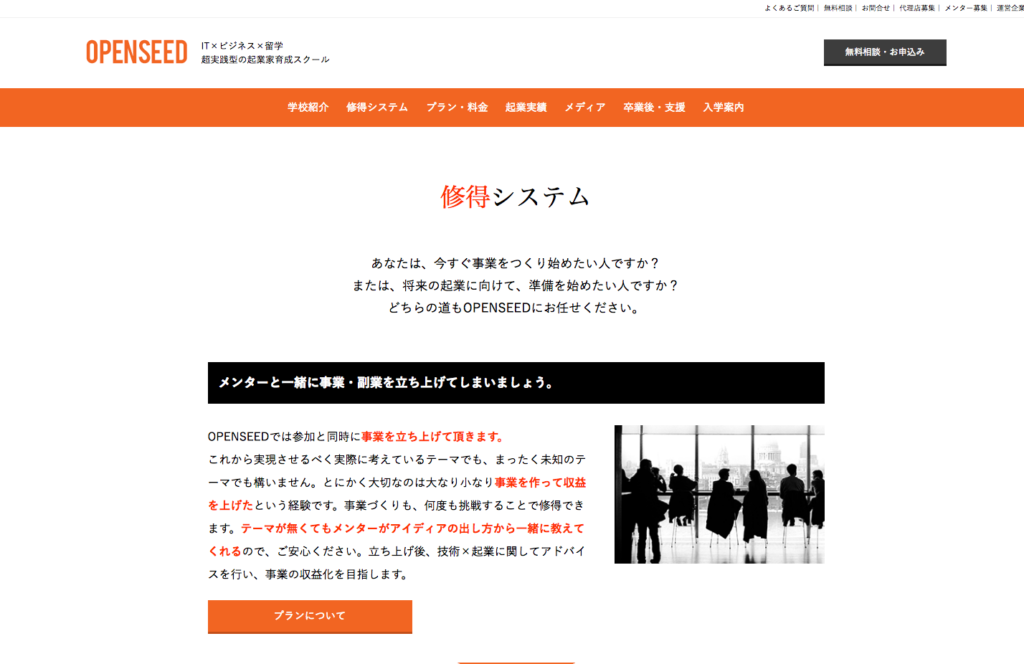
Initially, it's common to create only the top page to confirm the design direction. If all pages are created and the design direction is wrong, it will result in a huge amount of rework, having to recreate all pages. First, thoroughly develop the top page to ensure the design direction doesn't deviate.
Once the top page design is approved, we start creating other pages. Basically, for other pages, we create them all at once, following the taste of the top page design. Once all pages are designed, they are sent for a review, and if approved, it's time for programming work.
Using languages called HTML and CSS, programming (coding) is done with a dedicated text editor.
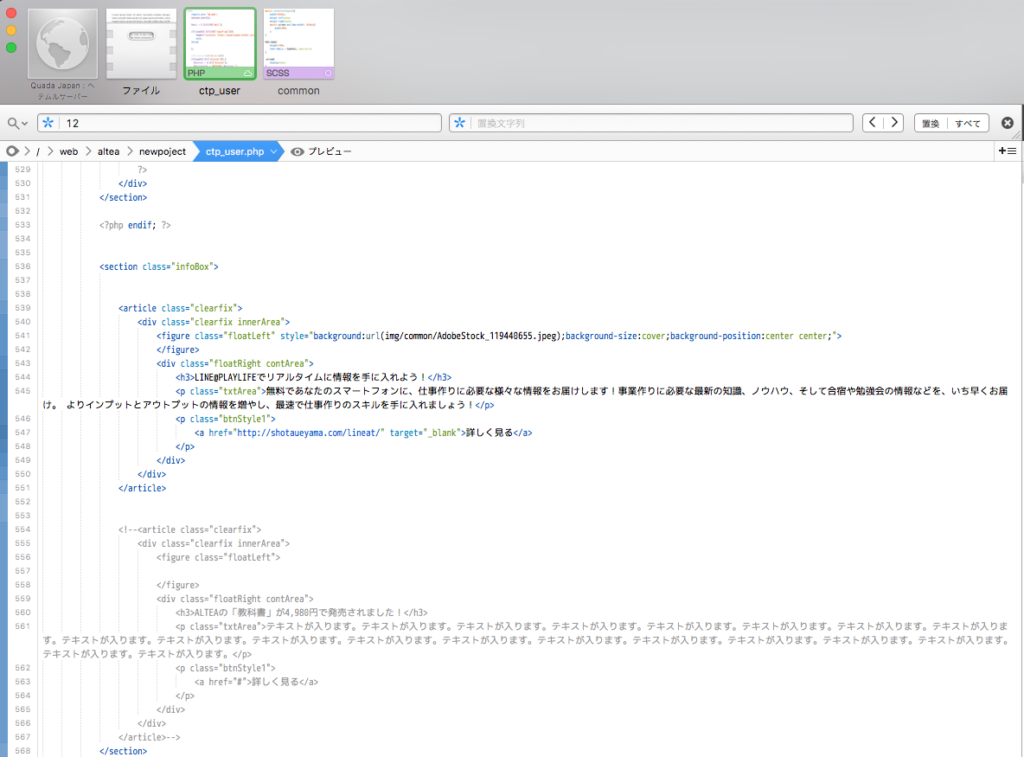
What is created with design tools like Figma is "image data". While it's possible to publish it as a website as an image, if left as is, it won't even allow screen transitions with clicks, let alone be recognized by Google.
By programming (coding) image data with languages called HTML and CSS, it can finally be recognized by Google's search engine and displayed as search results.
Also, Yahoo!'s search results also use Google's system, so the basic concept is the same. Previously, Yahoo! used its own system, but eventually started using only Google's search system.
To be properly recognized by Google and function correctly as a website, it is necessary to perform the work of coding image data with HTML and CSS. Since many articles already exist on specific coding methods using HTML and CSS, please search for them.
Also, currently,Dotinstallwith services like, you can learn skills through online videos. If you are interested, it's basically free, andDotinstallstudying coding methods there will be useful.
When performing coding, we also make it responsive so that it can be viewed on smartphones. We touched on this a bit during wireframe creation, didn't we? If a prototype of the smartphone version hasn't been created during the wireframe and design stages, you will only be able to check the smartphone version for the first time during the coding stage.
Animations such as fade-ins, fade-outs, other movements, slides, and boxes that enlarge images are also implemented during the coding phase. The language used for adding movement is JavaScript, not HTML or CSS. Some engineers cannot handle JavaScript, so it might be better not to think of them as the same.

The implementation of complex systems, such as WordPress integration and member registration, comes last.
The stage where coding with HTML and CSS is completed is basically called a "static site", and blog posts or member registrations cannot be done. Even if a user takes some action, it's not in a state where it can be used like an app; it simply serves as an "advertisement".
From there, enabling blog updates, member registrations, or allowing purchases as a shopping site is done after programming with other languages like PHP or Ruby. One such system that appears in these mechanisms is WordPress.
WordPress is basically a blog system. It refers to a package that enables a complete set of blog updates, including an administration screen and update functions. The package contains many program files centered around php, and can be customized to some extent. By combining this program with static sites created so far, blog and update functions can be added.
It is generally believed that websites can be easily created using WordPress. This is because templates can be used. Since WordPress has a template function, if you use a template as is, you can easily launch a website. However, if you want to use WordPress with an original design, you must follow the steps for creating a regular website.
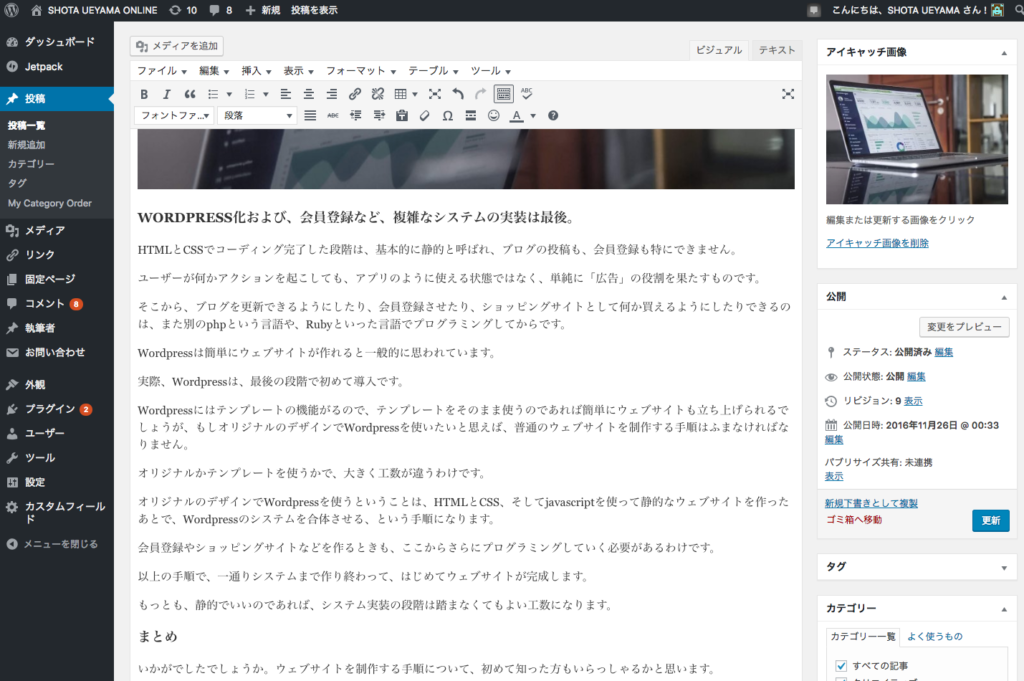
The number of man-hours differs greatly depending on whether you use an original design or a template. Using WordPress with an original design involves creating a static website using HTML, CSS, and javascript, and then integrating the WordPress system. Therefore, it is not easy to create; rather, it takes more effort than creating a regular site.
Furthermore, when creating membership registration or shopping sites, further programming is required from this point. The phase called system development is the final stage of website creation. Following the above steps, a website is only completed after the entire system has been built. However, if a static site is sufficient, the system implementation stage is an effort that does not need to be taken.
Summary
How was it? I believe some of you may have learned about the website creation process for the first time. In fact, whether working with clients or creating for your own company or yourself, having the entire workflow in everyone's mind makes the work proceed more smoothly.
You will be able to communicate smoothly with designers and engineers without any prior misunderstandings, discrepancies, or creating unreasonable schedules.
Today, website creation has become quite common. For any company or activity, it has become a weapon that exerts such a presence that they would 'lose' without a website. However, even so, I sometimes feel that the processes, methods, and means of web production are not well known, and instead, misunderstood information is rampant.
By thoroughly understanding the procedures, methods, technologies, and man-hours, projects should be able to proceed more smoothly. Please study about websites and grasp what can and cannot be done. New possibilities and solutions should also become visible.
WRITTEN BY
上山 翔太
2007年からWEBデザイナー / エンジニアとして活動を開始。2015年には、セブ島にて立ち上げた日本人対象のクリエイター育成スクールと運営していたメディアを売却。その後、アメリカで事業デザインを無理やり学ぶ。帰国後は起業家育成プログラムを立ち上げ、新規事業開発、起業家育成に従事するほか、マーケティング戦略策定、ウェブ開発技術を提供。「IT留学シェアハウス」や「起業教育・支援プラットフォーム」を開発、運営。その後、株式会社QUONを立ち上げ。WEB制作事業を軸として、クリエイターと起業家を産む村づくりプロジェクトなどをバリ島と日本を中心に推進。


